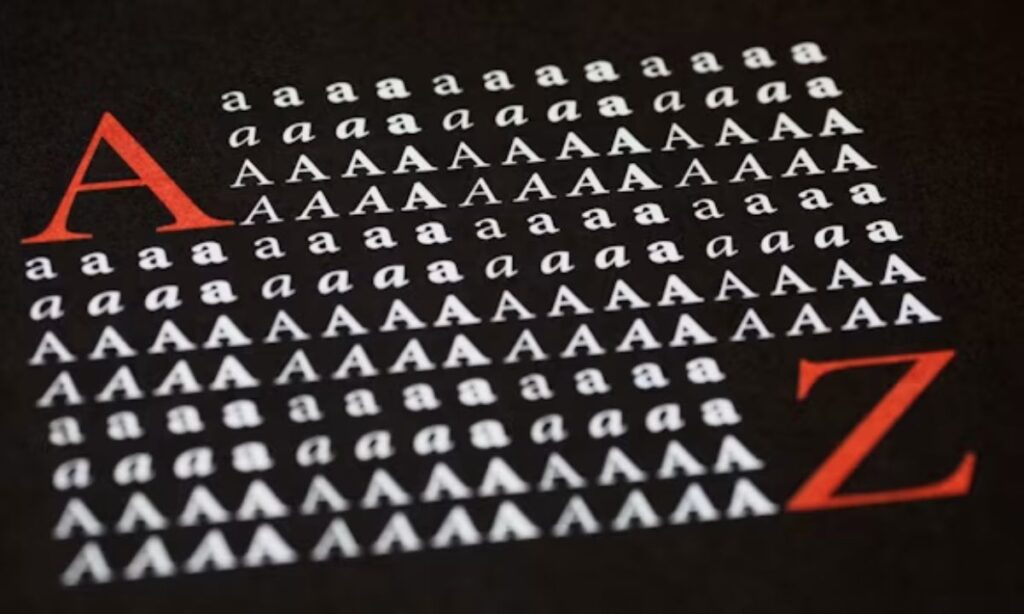
An italic font generator lets you convert normal text into stylish text using unicode text characters drawn from the mathematical alphanumeric symbols block of the unicode standard. Whether you need decorative fonts for a product listing, a bio on Instagram, or sales copy on Facebook or WhatsApp, this free online tool gives you aesthetic text, cool symbols, and fancy text combinations all ready to copy paste in a single click.
Why Italic Text Matters for Sales and Conversions in 2026
In 2026, visual hierarchy is no longer optional in e commerce. Buyers scroll fast, and italic text creates the kind of visual appeal that stops them long enough to read. When you apply text decoration strategically inside product listings or sales copy, you signal premium quality before a single word is processed consciously.
Engagement data consistently shows that emphasis through stylish text outperforms plain copy. Platforms like Instagram, Facebook, and WhatsApp do not support native bold or italic formatting in bios and posts, making fancy text the only viable solution for sellers who want decorative text inside those environments. Using aesthetic text to highlight a key benefit or price anchor drives perceived premium, which directly lifts conversions. For any seller treating copy paste formatting as an afterthought, italic decorative fonts are one of the lowest effort, highest return adjustments available in 2026.
How Italic Font Generators Work: The Unicode Technical Foundation
Every character produced by a fancy text generator originates from the unicode standard specifically from the mathematical alphanumeric symbols block, which contains a specification for thousands of different symbols and characters originally designed for academic and scientific publishing. An italic font generator maps your normal text to these text symbols using unicode, producing a fancy piece of text that looks italicized without relying on any font file.
This matters because these characters exist at the unicode layer, not the CSS or font layer. That means a screen on any of your electronic devices whether a smartphone, tablet, or desktop renders the output the same way text printed in books does: as a recognized character, not a styled glyph. The result is italic simulation that travels with the text itself, surviving copy paste across every platform that accepts unicode text input.
Best Italic Font Generator Tools Compared for Sellers
Not all tools offering font styles are built equally for sellers. The best options give you a text decorator with full preview text before you commit, so you can see exactly how your input text will look across different contexts. Look for tools that offer over 250 different ways to style your text and over 50 options for decoration alone.
Key features that separate premium tools from basic ones include word styles, spacing styles, and letter styles applied independently. The ability to view your text with original style alongside decorated versions inside the same interface saves time. Tools that support copy text directly from the preview panel including a copy link to text function for team workflows are particularly valuable for sellers managing multiple listings. Full text decoration modes that process the entire input in one pass, combined with cool symbols and aesthetic text combinations, give you the most usable output per session.
Step-by-Step: Generating and Implementing Italic Text for Maximum Sales Impact
Start by navigating to the top text box and entering your content. Type your text exactly as it will appear in your listing or bio full text, individual words, or single letters depending on your need.
Once your input text is in place, browse the font list and select a style that fits your brand tone. Most tools let you choose a font and choose decoration style separately, giving you control over both the base character shape and the layered decoration. Use the show all symbols decorations toggle to see every available output at once rather than scrolling.
After you select a style, the tool generates a normal text decorated version alongside the original. Review the preview text, apply random decor if you want an unexpected combination, then copy to clipboard with one click. Paste it directly into your product listing, caption, or bio. For word level emphasis, paste it word-by-word rather than replacing the full text this keeps your copy readable while still adding visual weight to key phrases.
Advanced Strategies: Using Italic Styling to Drive E-Commerce Results
Once you have the basics down, italic styling becomes a precision tool for e commerce results. The most effective approach is to customize text fully rather than applying a single font style to everything. Use letter-by-letter variation for brand names you want to stand out, and after each space, consider whether the next word earns a change the font style treatment or should remain plain for contrast.
Sellers on platforms like Instagram, Facebook, and WhatsApp can use this to style your name inside bios for immediate authority signaling. In sales copy, combine styles for example, pairing decorative fonts on the offer headline with plain text on the supporting detail to create a natural reading flow that guides the eye. Text with original style retained in body copy, with italic decoration reserved for value propositions, performs better than full page italic saturation, which fatigues the reader.
Risks, Accessibility, and Best Practices for Professional Use
Using unicode italic text carries real risks if applied without awareness. The most significant is screen reader compatibility: many screen readers do not interpret mathematical alphanumeric symbols as their latin equivalents, which means accessibility suffers for visually impaired users. Cross platform rendering issues are also possible some older operating systems or niche apps do not render the full unicode range cleanly.
For Amazon and Shopify product listings, unicode italic text generally renders correctly, but platform specific policies vary. Always test before scaling. Unlike real italic fonts applied through CSS, unicode characters can affect SEO indirectly not because Google penalizes them, but because Google rankings depend partly on crawlable text, and unicode symbols are not always parsed as the words they represent. For professional business accounts across any platform, the best practice is to use italic styling selectively, combine italic text with bold or other styles only where the emphasis is genuinely earned, and never apply fancy text to legally significant copy such as terms, disclaimers, or pricing.
Measuring ROI and Scaling Italic Text in Your Sales Workflow
Scaling italic text inside your sales workflow begins with treating it as a testable variable, not a design preference. Use the character counter built into most tools to track text length consistency across templates. Build a quick menu of your top performing styles so your team can apply them without rebuilding from scratch each session.
The copy to clipboard and show all symbols functions are your two highest leverage workflow features. Combine them with automation by storing pre styled templates for recurring copy formats product headlines, benefit bullets, CTA lines so each new listing only requires swapping the core message, not reformatting from scratch. A free online tool that lets you style regular text in hundreds of different ways with full text decoration, word styles, spacing styles, and letter styles in a single click eliminates the manual overhead that slows most content operations. Measuring ROI is straightforward: track conversion rate and engagement on listings using italic text against control versions, and let the data determine your scaling decisions.
Frequently Asked Questions
Q1: Do italic font generators work on Amazon and Shopify product listings?
Yes, italic font generators work on both platforms. They use Unicode characters that render correctly in listings. Always test your styled text before publishing at scale.
Q2: Does using Unicode italic text affect SEO or Google rankings?
Unicode italic text can hurt SEO slightly. Google may not read these symbols as normal words. Use italic text for design only, not for important keywords.
Q3: What’s the difference between Unicode italic text and real italic fonts?
Real italic fonts use CSS styling inside websites. Unicode italic text uses special characters that work everywhere. Unicode travels with your text across all platforms and apps.
Q4: Can I combine italic text with bold or other styles for better sales copy?
Yes, combining italic and bold creates strong visual hierarchy. Use bold for main points and italic for supporting details. Keep combinations simple so readers stay focused.
Q5: Are italic font generators safe to use for professional business accounts?
Yes, they are safe for bios, captions, and headlines. Avoid using fancy text in legal or compliance copy. Always test how styled text appears on each platform first.
Conclusion
Italic font generators are one of the simplest yet most powerful tools available to sellers and content creators in 2026. By converting plain text into unicode-based italic styles, you instantly add visual appeal to bios, product listings, and sales copy across Instagram, Facebook, WhatsApp, and beyond — no design skills required.
Use italic styling strategically, not excessively. Reserve decorative fonts for headlines, key benefits, and value propositions. Test your styled text before scaling, keep accessibility in mind, and let conversion data guide your decisions. One small formatting change can be the difference between a scroll-past and a sale.
For best results, use our free Italic Font Generator and start styling your text in seconds.

Barbie | Expert on tool sites delivering fast, high-quality services with top performance, creativity, and professional results clients trust every time.