A Font Style Changer is an online tool that converts plain text into stylish Unicode fonts for social media, gaming profiles, messaging apps, and creative content. You type your text, choose a style, and copy the result instantly.
What Is a Font Style Changer?
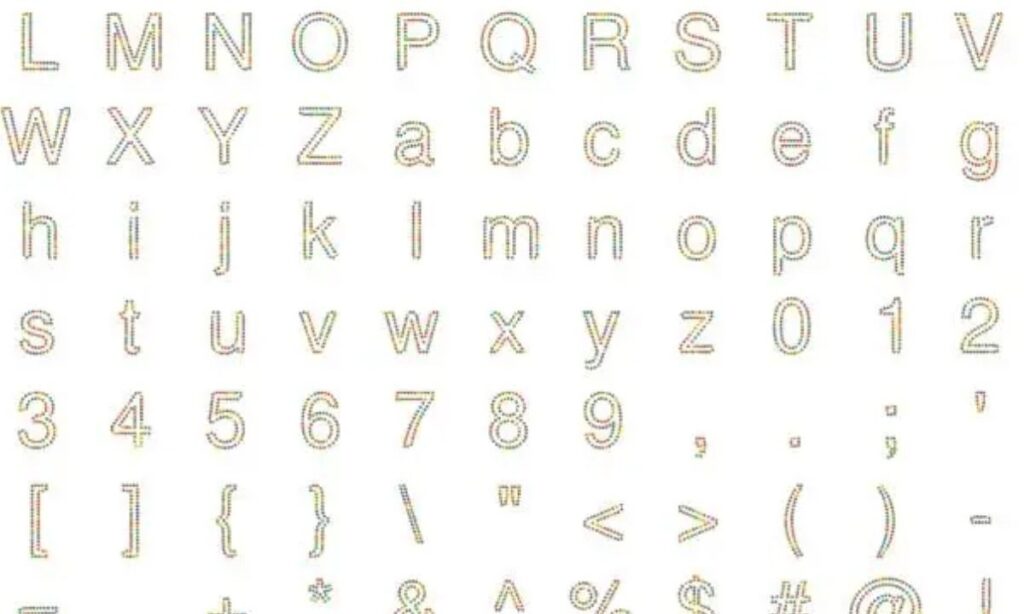
A font style changer transforms standard text into decorative Unicode characters that resemble different font styles. These styles work on many websites and apps because they use Unicode symbols instead of installing new fonts.
Examples include:
- 𝓒𝓾𝓻𝓼𝓲𝓿𝓮
- 𝐁𝐨𝐥𝐝
- 𝘔𝘰𝘯𝘰𝘴𝘱𝘢𝘤𝘦
- 𝕯𝖔𝖚𝖇𝖑𝖊 𝕾𝖙𝖗𝖚𝖈𝖐
- 🅱🅾🆇🅴🅳
- Sᴍᴀʟʟ Cᴀᴘs
The conversion happens instantly without requiring downloads or software installation.
How Does a Font Style Changer Work?
A font style changer replaces regular letters with visually similar Unicode characters.
The process is simple:
- Enter your text.
- The tool generates multiple font styles.
- Preview every style instantly.
- Copy your preferred version.
- Paste it into social media, chats, emails, or documents.
Since Unicode is widely supported, many generated styles display correctly across modern devices and platforms.
Why Use a Font Style Changer?
People use stylish text to make their content more noticeable and visually appealing.
Common benefits include:
- Improve social media bios
- Create unique usernames
- Design attractive Instagram captions
- Customize Discord nicknames
- Decorate gaming profiles
- Make WhatsApp messages stand out
- Enhance Facebook posts
- Create eye-catching Twitter (X) posts
- Add creativity to YouTube titles
A font style changer saves time by generating dozens of text variations in seconds.
Popular Font Styles
Most font style changers offer a large collection of Unicode text styles.
| Font Style | Example |
| Bold | 𝐇𝐞𝐥𝐥𝐨 |
| Italic | 𝘏𝘦𝘭𝘭𝘰 |
| Bold Italic | 𝑯𝒆𝒍𝒍𝒐 |
| Script | 𝓗𝓮𝓵𝓵𝓸 |
| Bold Script | 𝓗𝓮𝓵𝓵𝓸 |
| Gothic | 𝕳𝖊𝖑𝖑𝖔 |
| Double-Struck | ℍ𝕖𝕝𝕝𝕠 |
| Monospace | 𝙷𝚎𝚕𝚕𝚘 |
| Small Caps | Hᴇʟʟᴏ |
| Circled | Ⓗⓔⓛⓛⓞ |
| Squared | 🄷🄴🄻🄻🄾 |
Different platforms support different Unicode characters, so appearance may vary slightly.
Where Can You Use Stylish Fonts?
Unicode font styles work on many popular platforms.
These include:
- TikTok
- X (Twitter)
- Discord
- Telegram
- Snapchat
- Twitch
- YouTube
You can also use them in emails, blog comments, online forums, and profile descriptions.
Features of a Good Font Style Changer
The best tools focus on speed, compatibility, and usability.
Important features include:
- Instant text conversion
- Hundreds of font styles
- One-click copy button
- Mobile-friendly interface
- No registration required
- Free unlimited usage
- Unicode compatibility
- Fast loading speed
- Secure browser-based operation
Many tools also include text decorations, symbols, and emojis.
Read more Generator Text – Free Fancy Fonts, Copy & Paste Instantly
How to Create Stylish Text
Creating stylish text takes only a few seconds.
Step 1: Type Your Text
Enter your words into the input box.
Example:
Hello World
Step 2: Browse Generated Styles
The tool automatically displays multiple font variations.
Step 3: Copy Your Favorite
Click the Copy button next to your preferred style.
Step 4: Paste Anywhere
Paste the generated text into your desired platform.
No additional software is necessary.
Best Uses for a Font Style Changer
Stylish fonts are useful in many situations.
Social Media Profiles
Create memorable bios and usernames.
Examples:
- 𝓙𝓸𝓱𝓷
- 𝐀𝐥𝐞𝐱
- 𝕰𝖒𝖒𝖆
Gaming Usernames
Personalize gaming identities for platforms such as:
- Steam
- Fortnite
- PUBG
- Free Fire
- Valorant
Chat Applications
Send creative messages on:
- Telegram
- Messenger
- Discord
Content Creation
Use stylish fonts for:
- Video titles
- Blog headings
- Promotional posts
- Digital invitations
- Online banners
Are Font Style Changers Safe?
Yes. Most browser-based font style changers are safe because they simply convert text into Unicode characters.
A reliable tool should:
- Process text instantly
- Avoid unnecessary permissions
- Require no downloads
- Work directly in your browser
- Protect user privacy
Always use trusted websites when entering personal information, although most font generators do not require sensitive data.
Unicode Fonts vs Regular Fonts
Although people call them “fonts,” many generated styles are actually Unicode characters.
| Unicode Text | Traditional Fonts |
| Works by replacing characters | Requires font installation |
| Easy to copy and paste | Depends on installed font files |
| Works across many platforms | Limited without installation |
| Browser-based | Software-dependent |
Understanding this difference helps explain why stylish text can be shared easily online.
Tips for Using Stylish Fonts
Using decorative text effectively improves readability.
Best practices include:
- Use stylish fonts for headings and names.
- Keep long paragraphs in regular text.
- Test compatibility before publishing.
- Avoid excessive decorative symbols.
- Choose readable styles for professional content.
Balanced formatting improves user experience.
Advantages of Using a Font Style Changer
A font style changer offers several practical benefits.
- Fast text conversion
- No installation required
- Free online access
- Works on desktop and mobile
- Hundreds of font options
- Easy copy-and-paste functionality
- Supports social media customization
- Enhances creative projects
- Saves time
These advantages make it a popular tool for everyday online communication.
Frequently Asked Questions
1. What is a font style changer?
A font style changer converts normal text into stylish Unicode text that you can copy and paste into social media, messaging apps, websites, and gaming profiles.
2. Is a font style changer free?
Yes. Most online font style changers are free and allow unlimited text conversion without registration or software installation.
3. Do stylish fonts work on Instagram?
Yes. Most Unicode font styles work on Instagram bios, captions, comments, and profile names, depending on device and platform compatibility.
4. Do I need to install fonts?
No. A font style changer uses Unicode characters, so you do not need to install any font files on your device.
5. Can I use stylish fonts on mobile devices?
Yes. Most font style changers work on Android, iPhone, tablets, and desktop browsers with simple copy-and-paste functionality
Conclusion
And that’s it — turning boring, plain text into something eye-catching is now just a few clicks away! Whether you’re jazzing up your Instagram bio, giving your Discord username some personality, or making your WhatsApp messages pop, a font style changer is the easiest way to add a creative touch to everything you type online. No downloads, no sign-ups, no hassle — just instant, fun, and free styling right in your browser.
So go ahead, experiment with bold scripts, elegant cursive, playful bubble letters, and everything in between. Find the style that feels like you, copy it, and start showing off your unique flair across all your favorite platforms. Your text deserves to stand out — so why settle for plain when stylish is just one click away?

Barbie | Expert on tool sites delivering fast, high-quality services with top performance, creativity, and professional results clients trust every time.