Fonts shape the way people experience digital and printed content. Dafonts is one of the most recognized font directories on the web, offering thousands of free and shareware typefaces across many categories. Designers, students, content creators, and hobbyists use the platform to discover unique fonts for personal projects, branding concepts, invitations, posters, and social media graphics.
This guide explains what Dafonts is, how it works, how to download fonts safely, licensing considerations, and best practices for using fonts in personal and commercial projects.
What Is Dafonts?
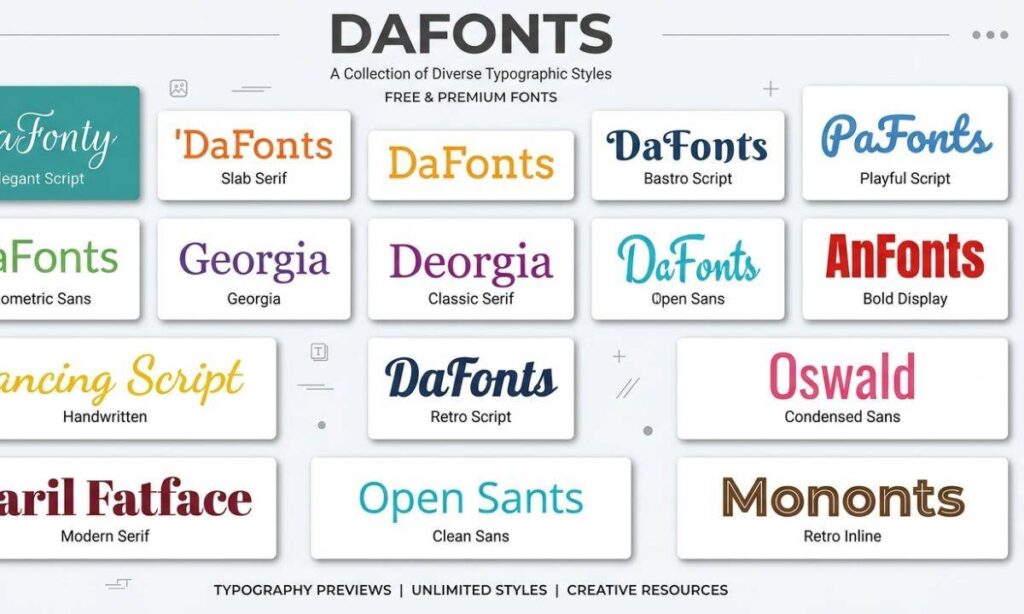
Dafonts is an online font directory that allows designers and font creators to share typefaces with users around the world. The website organizes fonts into categories, making it easier to browse styles such as:
- Serif
- Sans-serif
- Script
- Handwritten
- Gothic
- Retro
- Modern
- Decorative
- Holiday
- Tech
- Calligraphy
Each font page typically includes:
- A font preview
- Author information
- Download button
- License details
- Character map
- User ratings or popularity indicators
The website acts as a library rather than a font designer. Individual creators upload and maintain their own fonts.
Why Is Dafonts Popular?
Dafonts remains popular because it offers a large collection of fonts that are easy to browse and download.
Some of the biggest advantages include:
- Thousands of available fonts
- Simple website navigation
- Quick downloads
- Search functionality
- Category-based browsing
- New fonts added regularly
- Preview text customization
Many users appreciate being able to type their own sample text before downloading a font. This feature helps determine whether a typeface matches a project’s style.
How to Download Fonts from Dafonts
Downloading fonts from Dafonts is straightforward.
Follow these steps:
- Visit the Dafonts website.
- Browse or search for a font.
- Open the font page.
- Review the license information.
- Click the Download button.
- Save the ZIP file.
- Extract the ZIP archive.
- Install the font on your computer.
Most downloads include files such as:
- .TTF (TrueType Font)
- .OTF (OpenType Font)
- License file
- ReadMe document
Always read the included documentation before using the font.
How to Install Fonts
The installation process depends on your operating system.
| Operating System | Installation Method |
| Windows | Right-click the font file and select Install or Install for all users. |
| macOS | Double-click the font file and select Install Font in Font Book. |
| Linux | Copy the font to the user font directory or use your desktop environment’s font manager. |
After installation, most design applications automatically detect the new font.
Is Dafonts Safe?
Dafonts is generally considered safe when accessed through its official website. However, users should always follow good security practices.
For safer downloads:
- Visit the official website only.
- Avoid unofficial mirror sites.
- Scan downloaded files with antivirus software.
- Read license information carefully.
- Avoid downloading executable files unrelated to fonts.
Font downloads typically contain only font files and documentation.
Understanding Font Licenses
One of the most important aspects of using Dafonts is understanding font licensing.
Not every font is free for every purpose.
Common license types include:
Free for Personal Use
These fonts can usually be used for:
- School assignments
- Personal artwork
- Family invitations
- Home projects
Commercial use usually requires purchasing a license.
Free for Commercial Use
Some designers allow businesses and professionals to use their fonts without additional payment.
Always verify the author’s licensing terms.
Donationware
Donationware fonts can often be used for free, but the creator requests a voluntary donation.
Supporting independent designers helps encourage future font development.
Shareware
Shareware fonts often allow limited testing before requiring payment for continued or commercial use.
Paid License
Some font pages include trial versions that require purchasing a complete commercial license for unrestricted usage.
Why Font Licensing Matters
Using fonts without the proper license can create legal issues for businesses and organizations.
Commercial projects include:
- Company logos
- Product packaging
- Advertising
- Websites
- Mobile applications
- Marketing materials
- Merchandise
Before publishing commercial work, verify that your chosen font permits the intended use.
Popular Font Categories on Dafonts
The website organizes fonts into many useful collections.
Script Fonts
Script fonts imitate handwriting and cursive lettering.
They work well for:
- Wedding invitations
- Greeting cards
- Luxury branding
- Certificates
Sans-Serif Fonts
Sans-serif fonts provide a clean and modern appearance.
Common uses include:
- Websites
- User interfaces
- Presentations
- Business documents
Serif Fonts
Serif fonts include small decorative strokes on letters.
They are often chosen for:
- Books
- Newspapers
- Editorial design
- Academic publications
Display Fonts
Display fonts emphasize creativity and visual impact.
They are popular for:
- Posters
- Headlines
- Logos
- Event promotions
Gothic Fonts
Gothic fonts feature dramatic styling suitable for:
- Halloween graphics
- Music artwork
- Fantasy designs
- Gaming projects
How to Choose the Right Font
Selecting a font depends on the project’s purpose.
Consider these factors:
- Readability
- Brand identity
- Audience
- Device compatibility
- Font licensing
- Character support
- Language compatibility
Avoid choosing decorative fonts for long paragraphs because they can reduce readability.
Best Practices for Using Fonts
Professional typography improves user experience.
Recommended practices include:
- Limit designs to two or three font families.
- Maintain consistent spacing.
- Use appropriate font sizes.
- Create clear heading hierarchies.
- Ensure sufficient color contrast.
- Test fonts across multiple devices.
- Pair decorative fonts with simple body text.
These practices create visually balanced documents and websites.
Can Dafonts Fonts Be Used for Logos?
Some Dafonts fonts can be used for logos, but licensing determines whether commercial logo usage is allowed.
Before creating a business logo:
- Read the license.
- Contact the font author if necessary.
- Purchase a commercial license when required.
A logo often becomes a permanent commercial asset, making proper licensing especially important.
Alternatives to Dafonts
Several reputable font websites also offer high-quality typefaces.
Popular alternatives include:
| Website | Main Focus |
| Google Fonts | Open-source web fonts |
| Adobe Fonts | Professional fonts for Creative Cloud users |
| Font Squirrel | Commercial-use fonts with licensing information |
| FontSpace | Large community font collection |
| Creative Market | Premium fonts from independent designers |
| MyFonts | Commercial font marketplace |
Each platform offers different licensing models and font collections.
Common Mistakes to Avoid
Many users make avoidable mistakes when downloading fonts.
Avoid these practices:
- Ignoring license agreements
- Downloading from unofficial websites
- Installing hundreds of unused fonts
- Using decorative fonts for body text
- Forgetting to back up purchased fonts
- Mixing too many font styles in one design
A clean font library improves workflow and system performance.
Read more Number Font Generator 𝟏𝟐𝟑 – Fancy Copy & Paste Fonts
Tips for Organizing Your Font Collection
As your font library grows, organization becomes more important.
Helpful strategies include:
- Create folders by category.
- Archive unused fonts.
- Label commercial licenses.
- Keep license documents.
- Backup font collections to cloud storage.
- Remove duplicate fonts.
Well-organized libraries save time during design projects.
Why Typography Matters
Typography influences readability, branding, and user perception.
Effective typography helps readers:
- Understand information quickly
- Recognize brand identity
- Navigate websites efficiently
- Improve reading comfort
- Create visual consistency
Choosing the right font is more than a design decision. It supports communication and enhances the overall user experience.
Frequently Asked Questions
1. Is Dafonts free to use?
Dafonts is free to browse and download from, but individual font licenses vary. Always check the author’s licensing terms before using a font.
2. Can I use Dafonts fonts commercially?
Some fonts allow commercial use, while others require purchasing a commercial license. Verify the license for each font.
3. Are Dafonts fonts safe to download?
Fonts downloaded from the official Dafonts website are generally considered safe, but scanning downloads with antivirus software is a good practice.
4. Which font formats does Dafonts provide?
Most downloads include TrueType (.TTF) and OpenType (.OTF) font files, along with licensing information.
5. What is the best alternative to Dafonts?
Google Fonts, Adobe Fonts, Font Squirrel, MyFonts, and FontSpace are widely used alternatives, each offering different collections and licensing options.
Conclusion
From everything we’ve covered, one thing is clear — fonts are more than just letters on a screen; they give your ideas a voice. Whether you’re a student trying to make a project stand out, a small business owner shaping your brand identity, or a designer hunting for that perfect typeface, platforms like Dafonts give you the creative freedom you need, without costing a dime.
Just remember to do a little homework with every download — check the license, stick to safe sources, and keep your font library organized. These small habits not only make your design work look more professional but also save you from any legal or technical headaches down the road. So what are you waiting for? Start exploring the perfect font for your next project and bring your creative vision to life — one beautiful typeface at a time! 🎨✨

Barbie | Expert on tool sites delivering fast, high-quality services with top performance, creativity, and professional results clients trust every time.