Want to make your text stand out online? A copy paste fonts tool lets you convert ordinary text into stylish, decorative fonts that can be copied and pasted across social media, messaging apps, and gaming platforms. Whether you’re creating an Instagram bio, updating your TikTok profile, designing a gaming username, or sending unique WhatsApp messages, copy and paste fonts make your text more attractive in seconds.
Unlike traditional fonts that require installation, copy paste fonts use Unicode characters. This means you can use them directly from your browser without downloading any software.
In this guide, you’ll learn how copy paste fonts work, where you can use them, and how to generate stylish text instantly.
What Are Copy Paste Fonts?
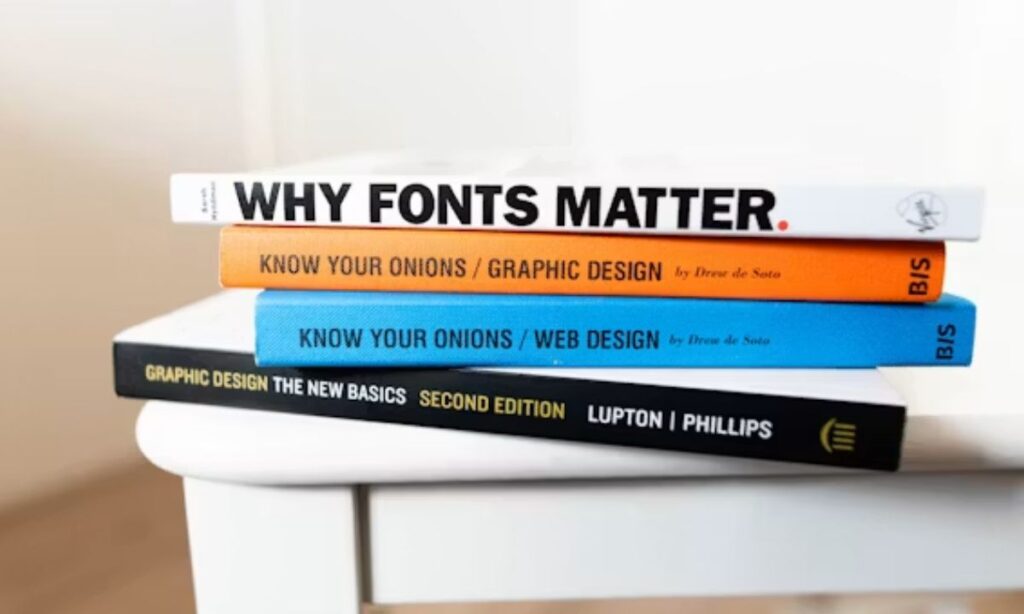
Copy paste fonts are Unicode-based text styles that transform regular letters into decorative characters. Although they look like different fonts, they are actually special Unicode symbols that most modern devices and applications can display.
For example:
- Normal: Copy Paste Fonts
- Bold: 𝗖𝗼𝗽𝘆 𝗣𝗮𝘀𝘁𝗲 𝗙𝗼𝗻𝘁𝘀
- Italic: 𝘊𝘰𝘱𝘺 𝘗𝘢𝘴𝘵𝘦 𝘍𝘰𝘯𝘵𝘴
- Script: 𝒞𝑜𝓅𝓎 𝒫𝒶𝓈𝓉𝑒 𝐹𝑜𝓃𝓉𝓈
- Bubble: Ⓒⓞⓟⓨ Ⓟⓐⓢⓣⓔ Ⓕⓞⓝⓣⓢ
- Gothic: 𝕮𝖔𝖕𝖞 𝕻𝖆𝖘𝖙𝖊 𝕱𝖔𝖓𝖙𝖘
Simply copy your favorite style and paste it into your preferred app or website.
Why Use Copy Paste Fonts?
Stylish fonts help your content stand out and give your online profiles a more creative appearance.
Common benefits include:
- Make social media profiles unique
- Improve the appearance of captions
- Create eye-catching usernames
- Personalize messages
- Build a memorable online identity
- Add creativity without graphic design skills
Features of a Good Copy Paste Font Generator
A reliable font generator should offer:
Hundreds of Font Styles
Choose from styles such as:
- Bold
- Italic
- Bold Italic
- Script
- Cursive
- Bubble
- Small Caps
- Monospace
- Gothic
- Double-Struck
- Decorative fonts
- Aesthetic text
Instant Font Conversion
Your text updates automatically as you type.
One-Click Copy
Copy your preferred style with a single click.
No Registration
Generate fonts without creating an account.
Free Unlimited Usage
Use the generator as often as you like.
How to Use Copy Paste Fonts
Creating stylish text is quick and simple.
Step 1
Open the font generator.
Step 2
Type your text.
Example:
Creative Profile
Step 3
Browse the generated font styles.
Step 4
Click the Copy button.
Step 5
Paste the stylish text into your favorite platform.
Read more Instagram Bio Font Generator (𝓒𝓸𝓹𝔂 & 𝓟𝓪𝓼𝓽𝓮 Stylish Fonts)
Where Can You Use Copy Paste Fonts?
Perfect for:
- Bios
- Usernames
- Captions
- Stories
- Comments
TikTok
Customize:
- Profile bio
- Username
- Video captions
Use stylish fonts for:
- Status updates
- About section
- Profile name
- Messages
Enhance:
- Posts
- Comments
- Profile names
- Bios
Discord
Create unique:
- Usernames
- Nicknames
- Server profiles
Other Platforms
You can also use copy paste fonts on:
- Snapchat
- Telegram
- Threads
- X (Twitter)
- YouTube
- Twitch
Popular Copy Paste Font Examples
Here are some popular styles.
Normal
Copy Paste Fonts
Bold
𝗖𝗼𝗽𝘆 𝗣𝗮𝘀𝘁𝗲 𝗙𝗼𝗻𝘁𝘀
Italic
𝘊𝘰𝘱𝘺 𝘗𝘢𝘴𝘵𝘦 𝘍𝘰𝘯𝘵𝘴
Bold Italic
𝘾𝙤𝙥𝙮 𝙋𝙖𝙨𝙩𝙚 𝙁𝙤𝙣𝙩𝙨
Script
𝒞𝑜𝓅𝓎 𝒫𝒶𝓈𝓉𝑒 𝐹𝑜𝓃𝓉𝓈
Bubble
Ⓒⓞⓟⓨ Ⓟⓐⓢⓣⓔ Ⓕⓞⓝⓣⓢ
Small Caps
Cᴏᴘʏ Pᴀsᴛᴇ Fᴏɴᴛs
Monospace
𝙲𝚘𝚙𝚢 𝙿𝚊𝚜𝚝𝚎 𝙵𝚘𝚗𝚝𝚜
Advantages of Copy Paste Fonts
Save Time
Create stylish text instantly without manual editing.
Increase Engagement
Eye-catching text often attracts more attention on social media.
Build Your Brand
Use consistent font styles across all your profiles.
Easy to Use
No design experience or technical skills are required.
Cross-Platform Compatibility
Unicode fonts work on most modern websites and applications.
Are Copy Paste Fonts Safe?
Yes.
Copy paste font generators simply convert standard letters into Unicode characters. They do not modify your device, install software, or access your personal information.
For best results, avoid using decorative fonts in:
- Email addresses
- Passwords
- Website URLs
- Official documents
- Banking information
Standard text is recommended for important information.
Do Copy Paste Fonts Work Everywhere?
Most platforms support Unicode characters, including Instagram, Facebook, WhatsApp, TikTok, Discord, and Telegram. However, some older devices or websites may not display every decorative character correctly.
Always preview your text before publishing.
Tips for Using Stylish Fonts
To keep your content professional and readable:
- Use one or two font styles only.
- Avoid excessive symbols.
- Choose readable designs.
- Test fonts before posting.
- Match the font style with your personal or business brand.
Why Use an Online Copy Paste Font Generator?
Compared to installing font apps or manually decorating text, online generators offer:
- Fast results
- Hundreds of font options
- One-click copying
- Mobile compatibility
- No downloads
- Unlimited usage
- Completely free
It’s the easiest way to create unique text for any platform.
Frequently Asked Questions
1. What are copy paste fonts?
Copy paste fonts are Unicode-based text styles that convert normal letters into decorative characters, allowing you to copy and paste stylish text into supported apps and websites.
2. Are copy paste font generators free?
Yes. Most copy paste font generators are completely free and provide unlimited font conversions without requiring registration or software installation.
3. Can I use copy paste fonts on Instagram?
Yes. Copy paste fonts work well for Instagram bios, captions, comments, stories, and many usernames, depending on the supported Unicode characters.
4. Do copy paste fonts work on mobile devices?
Yes. These font generators work on Android phones, iPhones, tablets, and desktop computers, making it easy to create stylish text from anywhere.
5. Do copy paste fonts change my device’s font?
No. Copy paste fonts use Unicode characters that look like different fonts. They do not change your phone’s or computer’s default system font.
Conclusion
And that’s it — turning boring, plain text into eye-catching stylish fonts really is that simple! Whether you’re jazzing up your Instagram bio, giving your gaming username some personality, or making your WhatsApp status pop, copy paste fonts give you a quick, fun way to stand out online without any design skills or downloads required. Just type, browse the styles, copy your favorite, and paste it anywhere you like.
So go ahead and give it a try! With hundreds of free styles just a click away, there’s no reason your profiles and captions can’t look as unique as you are. Start experimenting today, and watch your online presence get that extra touch of creativity it deserves.
“Ready to get started? Head over to our Copy Paste Fonts Generator and create your own stylish text in seconds.”

Barbie | Expert on tool sites delivering fast, high-quality services with top performance, creativity, and professional results clients trust every time.