A stylish font converter transforms ordinary text into decorative Unicode characters that you can copy and paste into social media profiles, gaming usernames, messaging apps, websites, and online communities. It offers a quick way to create eye-catching text without installing custom fonts or software.
Whether you want elegant script, bold letters, gothic text, bubble fonts, or monospace styles, a stylish font converter helps you personalize your content in seconds.
What Is a Stylish Font Converter?
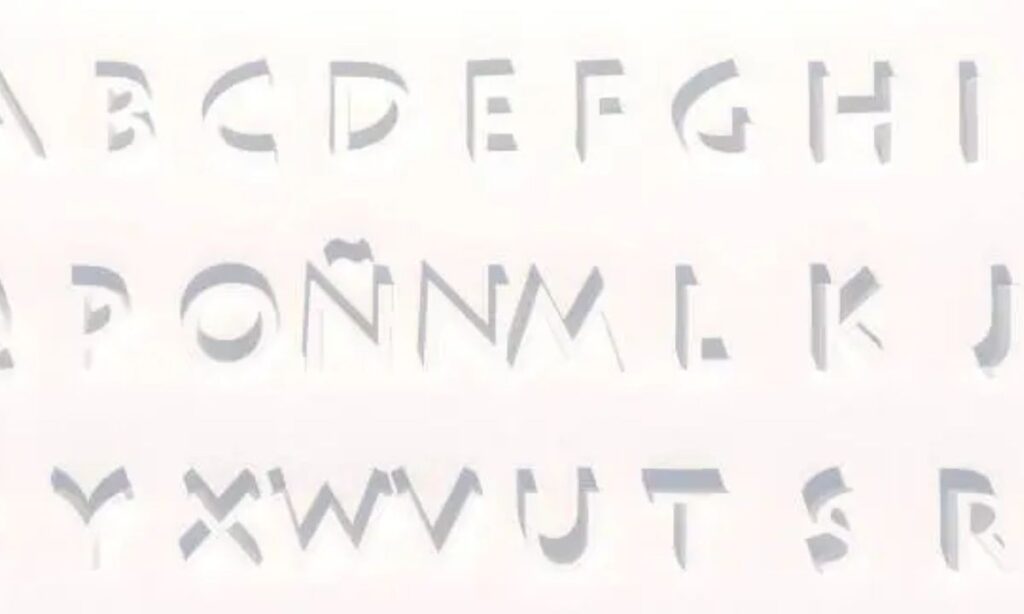
A stylish font converter is an online tool that changes plain text into visually appealing Unicode characters. These characters resemble different font styles but are actually Unicode symbols supported by most modern devices and platforms.
For example, the text Stylish Font can become:
- 𝓢𝓽𝔂𝓵𝓲𝓼𝓱 𝓕𝓸𝓷𝓽
- 𝗦𝘁𝘆𝗹𝗶𝘀𝗵 𝗙𝗼𝗻𝘁
- 𝕾𝖙𝖞𝖑𝖎𝖘𝖍 𝕱𝖔𝖓𝖙
- 𝔖𝔱𝔶𝔩𝔦𝔰𝔥 𝔉𝔬𝔫𝔱
- 🆂🆃🆈🅻🅸🆂🅷 🅵🅾🅽🆃
Simply copy your preferred style and paste it wherever Unicode text is supported.
How Does a Stylish Font Converter Work?
A stylish font converter uses the Unicode Standard to replace regular letters with decorative characters. Since these are Unicode symbols rather than font files, they work across many websites and applications.
The process is straightforward:
- Enter your text.
- Browse the available font styles.
- Copy the style you like.
- Paste it into your desired platform.
No downloads or installations are required.
Read more Font Generator for Instagram – Copy & Paste Fonts Free
Why Use a Stylish Font Converter?
Stylish fonts make your content more distinctive while helping you build a recognizable online identity.
Benefits include:
- Personalize social media profiles.
- Create unique usernames.
- Improve personal branding.
- Decorate captions and comments.
- Enhance gaming nicknames.
- Make important text stand out.
- Add creativity to online messages.
A consistent style helps your profile appear more memorable.
Where Can You Use Stylish Fonts?
Unicode text is supported on many popular platforms.
Use stylish fonts in:
- Bios
- Display names
- Captions
- Comments
- Story text
TikTok
Decorate:
- Usernames
- Bios
- Video captions
Discord
Customize:
- Usernames
- Nicknames
- Server names
- Channel names
Use decorative fonts in:
- Posts
- Comments
- Profile information
Stylish fonts work for:
- Status updates
- Group names
- Contact names
X (Formerly Twitter)
Enhance:
- Bios
- Display names
- Tweets
Compatibility may vary depending on the platform and device.
Popular Stylish Font Styles
Different font styles suit different purposes.
Script Fonts
Script fonts create an elegant appearance.
Example:
𝓢𝓽𝔂𝓵𝓲𝓼𝓱
Best for:
- Fashion
- Lifestyle
- Personal branding
Bold Fonts
Bold text improves visibility.
Example:
𝗦𝘁𝘆𝗹𝗶𝘀𝗵
Ideal for:
- Headlines
- Promotions
- Announcements
Gothic Fonts
Gothic lettering creates a dramatic style.
Example:
𝕾𝖙𝖞𝖑𝖎𝖘𝖍
Popular among:
- Gamers
- Music creators
- Creative communities
Bubble Fonts
Bubble letters create a playful look.
Example:
Ⓢⓣⓨⓛⓘⓢⓗ
Suitable for:
- Casual profiles
- Creative pages
- Friendly messages
Monospace Fonts
Monospace text offers a clean, technical appearance.
Example:
𝚂𝚝𝚢𝚕𝚒𝚜𝚑
Often used by developers and technology enthusiasts.
How to Use a Stylish Font Converter
Creating stylish text only takes a few moments.
- Open a stylish font converter.
- Enter or paste your text.
- Choose your preferred font style.
- Copy the generated text.
- Paste it into your selected platform.
The process works on desktops, laptops, tablets, Android devices, and iPhones.
Best Uses for Stylish Fonts
Stylish fonts enhance many forms of digital content.
Popular uses include:
- Instagram bios
- TikTok profiles
- Discord usernames
- Gaming nicknames
- Facebook posts
- YouTube channel names
- Twitch profiles
- Pinterest descriptions
- Blog titles
- Online portfolios
Using decorative text thoughtfully improves visual appeal while maintaining readability.
Tips for Choosing the Best Stylish Font
The right font depends on your audience and purpose.
Follow these recommendations:
- Keep text easy to read.
- Use one or two font styles consistently.
- Avoid excessive decorative symbols.
- Match the font to your personal or business brand.
- Test compatibility across different devices.
- Prioritize clarity over decoration.
A simple and consistent design often creates the strongest impression.
Is a Stylish Font Converter Safe?
Yes. Most stylish font converters are safe because they simply convert text into Unicode characters.
For better security:
- Use trusted websites.
- Never enter account passwords.
- Avoid downloading unnecessary software.
- Copy only the generated text.
These tools do not require access to your personal accounts.
Does a Stylish Font Converter Affect SEO?
Decorative Unicode text is useful for social media and branding, but websites should use standard text for SEO.
SEO best practices include:
- Use normal text in headings.
- Keep page titles readable.
- Include keywords in standard formatting.
- Reserve stylish fonts for visual elements.
- Focus on accessibility and user experience.
Standard text helps search engines understand your content more effectively.
Frequently Asked Questions
1. What is a stylish font converter?
A stylish font converter is an online tool that converts regular text into decorative Unicode characters. You can copy the generated text and paste it into social media profiles, usernames, messages, and websites.
2. Are stylish font converters free?
Yes. Most stylish font converters are free to use and generate multiple Unicode font styles instantly without requiring registration, downloads, or software installation.
3. Can I use stylish fonts on Instagram and Discord?
Yes. Instagram, Discord, TikTok, Facebook, WhatsApp, X, and many other platforms support Unicode text in bios, usernames, captions, display names, and comments.
4. Do stylish fonts work on mobile devices?
Most modern Android and iPhone devices support Unicode characters. However, some older devices or outdated applications may not display every decorative font correctly.
5. Is a stylish font converter safe?
Yes. Reputable stylish font converters only generate Unicode text. They do not request your passwords or require direct access to your social media accounts.
Conclusion
Adding a little style to your text doesn’t have to be complicated — and now you know exactly how easy it really is! With just a few clicks, a stylish font converter lets you turn plain, boring words into eye-catching fonts that instantly make your profile, bio, username, or message stand out from the crowd. Whether you’re going for elegant script, bold statements, playful bubbles, or dramatic gothic vibes, there’s a style out there that perfectly matches your personality and brand.
So go ahead, have fun with it! Try out different fonts, mix things up, and find the look that feels most “you.” It’s free, it’s fast, and it’s completely safe — so there’s nothing stopping you from giving your online presence that fresh, creative touch it deserves. Your next standout bio or username is just a copy-paste away! ✨

Barbie | Expert on tool sites delivering fast, high-quality services with top performance, creativity, and professional results clients trust every time.