Want cool fonts to copy and paste instantly? Yes, you can generate stylish text using Unicode characters and paste it into social media profiles, bios, messages, usernames, gaming accounts, and more. These fonts work without installing any software because they use special Unicode symbols that most modern platforms support.
In this guide, you’ll learn how cool font generators work, where you can use stylish fonts, their benefits, limitations, and best practices.
What Are Cool Fonts Copy and Paste?
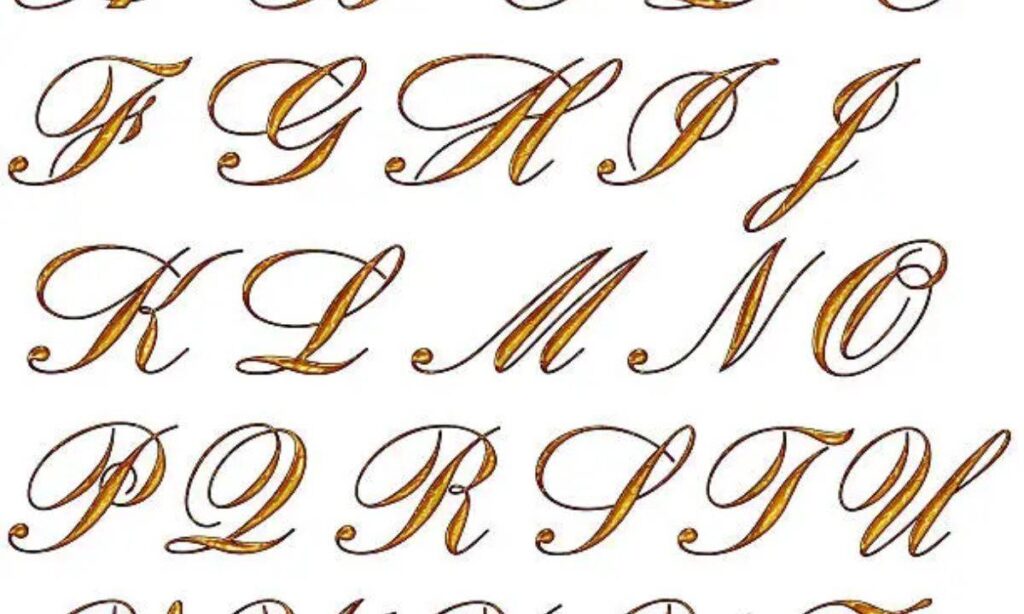
Cool fonts copy and paste are text styles created with Unicode characters rather than traditional font files. Unlike standard fonts installed on your computer, these styles replace regular letters with visually unique Unicode symbols.
Examples include:
- 𝓒𝓸𝓸𝓵 𝓕𝓸𝓷𝓽𝓼
- 𝕮𝖔𝖔𝖑 𝕱𝖔𝖓𝖙𝖘
- 𝐂𝐨𝐨𝐥 𝐅𝐨𝐧𝐭𝐬
- 𝘾𝙤𝙤𝙡 𝙁𝙤𝙣𝙩𝙨
- 🅲🅾🅾🅻 🅵🅾🅽🆃🆂
- ⓬ⓞⓞⓛ Ⓕⓞⓝⓣⓢ
Most font generators instantly convert normal text into multiple stylish versions that you can copy with one click.
How Do Cool Font Generators Work?
Cool font generators convert standard letters into matching Unicode characters.
For example:
| Normal Text | Stylish Version |
| A | 𝒜 |
| B | 𝓑 |
| C | ℂ |
| Hello | 𝓗𝓮𝓵𝓵𝓸 |
| Gaming | 𝔾𝕒𝕞𝕚𝕟𝕘 |
The output remains text, making it easy to copy and paste into supported websites and applications.
Where Can You Use Cool Fonts?
You can use cool fonts on many popular platforms.
Common uses include:
- Instagram bios
- Facebook posts
- TikTok profiles
- X (Twitter) posts
- Discord usernames
- Twitch profiles
- YouTube channel descriptions
- WhatsApp messages
- Snapchat bios
- Pinterest profiles
- Reddit usernames
- Gaming nicknames
- Online forums
- Blog headings
- Digital invitations
Platform compatibility depends on Unicode support and each platform’s formatting rules.
Why Do People Use Cool Fonts?
People use stylish fonts to make text more eye catching and memorable.
Common benefits include:
- Improve profile appearance
- Make usernames unique
- Highlight important text
- Increase visual engagement
- Decorate social media bios
- Create aesthetic captions
- Personalize messages
- Stand out in online communities
Stylish typography can help content attract attention without using images or graphics.
Popular Cool Font Styles
Different font styles suit different purposes.
| Font Style | Example |
| Bold | 𝐁𝐨𝐥𝐝 |
| Italic | 𝑰𝒕𝒂𝒍𝒊𝒄 |
| Bold Italic | 𝑩𝒐𝒍𝒅 𝑰𝒕𝒂𝒍𝒊𝒄 |
| Script | 𝓢𝓬𝓻𝓲𝓹𝓽 |
| Cursive | 𝒞𝓊𝓇𝓈𝒾𝓋𝑒 |
| Double Struck | 𝔻𝕠𝕦𝕓𝕝𝕖 |
| Gothic | 𝕲𝖔𝖙𝖍𝖎𝖈 |
| Bubble | ⓑⓤⓑⓑⓛⓔ |
| Squared | 🅂🅀🅄🄰🅁🄴🄳 |
| Monospace | 𝚖𝚘𝚗𝚘𝚜𝚙𝚊𝚌𝚎 |
Trying several styles helps you find one that matches your personality or brand.
How to Copy and Paste Cool Fonts
Creating stylish text is simple.
- Open a cool font generator.
- Type your text.
- Browse the generated font styles.
- Click the Copy button.
- Paste the text anywhere you want.
The entire process usually takes only a few seconds.
Are Cool Fonts Safe to Use?
Yes. Cool fonts are generally safe because they use Unicode characters instead of downloadable font files.
However, remember these best practices:
- Use trusted font generator websites.
- Avoid downloading unknown software.
- Test compatibility before publishing.
- Keep important documents in standard fonts.
- Avoid excessive styling for professional communication.
These steps help ensure readability and compatibility.
Read more Aesthetic Fonts Generator – 𝓒𝓸𝓹𝔂 & 𝓟𝓪𝓼𝓽𝓮 Stylish Text Free
Do Cool Fonts Work Everywhere?
No. Most modern websites and apps support Unicode, but some older systems may not display every character correctly.
Compatibility varies between:
- Android devices
- iPhones and iPads
- Windows computers
- Mac computers
- Web browsers
- Gaming platforms
Testing your text before publishing helps prevent display issues.
Best Practices for Using Cool Fonts
Using stylish text effectively improves readability.
Follow these recommendations:
- Use decorative fonts for headings or names.
- Keep paragraphs in standard text.
- Avoid mixing too many font styles.
- Choose readable Unicode characters.
- Use stylish text sparingly.
- Test appearance across multiple devices.
- Balance creativity with accessibility.
Simple styling often creates the strongest visual impact.
Frequently Asked Questions
Frequently Asked Questions
What are cool fonts copy and paste tools, and how do they create stylish text without requiring users to install custom fonts or additional software on their devices?
Cool fonts copy and paste tools convert standard letters into Unicode characters that resemble decorative fonts. Users simply copy the generated text and paste it into compatible websites, social media platforms, games, or messaging applications.
Can I use cool fonts copy and paste for Instagram bios, TikTok usernames, Discord profiles, gaming nicknames, and other popular online platforms without compatibility issues?
Most major platforms support Unicode characters, allowing stylish fonts to display correctly. Compatibility varies between applications, operating systems, browsers, and individual platform rules, making it useful to test your text before publishing.
Are cool fonts created with Unicode completely safe to use for personal profiles, business branding, social media posts, and online communication across different websites and mobile applications?
Yes. Unicode based cool fonts are generally safe because they contain text characters instead of executable files. Use trusted generators and avoid downloading unnecessary software from unknown websites to maintain online security.
Why do some stylish Unicode fonts appear differently or fail to display correctly on certain smartphones, computers, web browsers, or older operating systems despite working on other devices?
Different devices and software versions support Unicode characters differently. Older operating systems, outdated browsers, or unsupported applications may replace decorative characters with blank boxes or standard letters.
What are the best practices for using cool fonts copy and paste effectively while maintaining readability, accessibility, professional appearance, and compatibility across social media platforms and digital communication channels?
Use stylish fonts for titles, usernames, headings, or short phrases instead of long paragraphs. Limit decorative text, choose readable styles, verify compatibility on multiple devices, and keep important content in standard text for accessibility.
Conclusion
And there you have it — everything you need to know about cool fonts copy and paste! Whether you’re jazzing up your Instagram bio, giving your Discord username some extra flair, or just want your messages to stand out from the crowd, stylish Unicode fonts are a fun, free, and effortless way to add personality to your online presence. No downloads, no complicated software, just copy, paste, and you’re good to go!
So go ahead, experiment with bold scripts, cursive styles, bubble letters, or whatever vibe matches your mood — the possibilities are endless. Just remember to keep it balanced: use these fancy fonts to make headings, bios, and usernames pop, while sticking to regular text for anything that needs to stay clear and readable. Have fun creating a look that’s uniquely you!

Barbie | Expert on tool sites delivering fast, high-quality services with top performance, creativity, and professional results clients trust every time.