Most people want elegant handwriting on screen but don’t own a calligraphy pen. That’s the real problem. A cursive font generator solves this fast. It uses Unicode characters, so your text works across almost every platform. Type your text, pick a script style, and copy instantly without installing anything.
The cursive letters generator turns plain words into flowing script styles. Use it for personal Instagram notes, aesthetic messages, digital signatures, or even Signatures on digital documents. We tested dozens of these tools, and the ones built on Unicode render cleanly on both mobile and desktop every time.
What Are Cursive Fonts?
The History Behind Cursive Writing
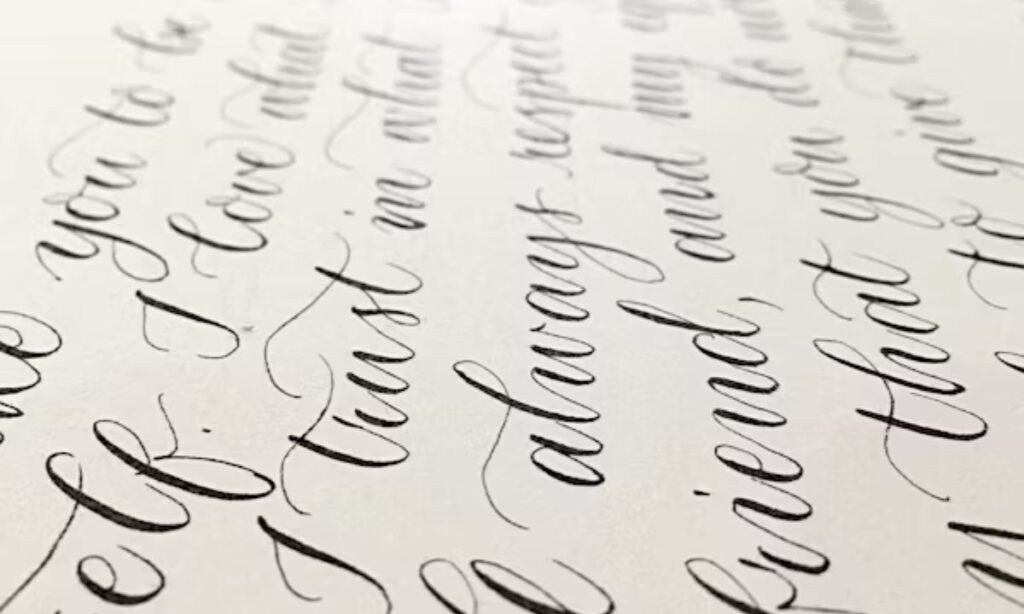
Cursive writing goes back centuries. Monks and scribes used elegant flowing script styles to write fast and clean. Over time, it grew into calligraphy, where ink and brush created art. Real handwriting back then took years to master. Every letter flowed into the next, making connected handwriting a sign of education and class. That history is why cursive fonts still feel polished today.
How Cursive Fonts Work
A cursive font generator takes your typed text and converts it into rendered digitally script using unicode characters. These characters look like connected handwriting but work as plain text. That means you can copy and paste them anywhere online, and they appear as is on most devices and platforms. The cursive letters generator does not use images. It uses real text characters, so your styled text stays searchable and shareable. Try the cursive fonts copy and paste tool and see how fast it works.
200+ Cursive Font Styles
Classic Script Style
Classic script fonts carry a timeless elegance that never goes out of style. A good calligraphy script brings structure and beauty to any design. Formal script and professional script work best for wedding invitations and business logos. Traditional cursive and old english styles add a vintage, high-end touch. We often use calligraphy bold script when a design needs strong visual weight. Bold script paired with calligraphy elegant details creates a stunning contrast. Elegant script and classic style choices signal quality and sophistication to readers.
Casual Handwriting Fonts
Casual handwriting gives text a natural, human feel that readers instantly connect with. Brush script and script light options work great for social media and small business branding. A pretty script font feels warm and welcoming without trying too hard. Natural handwriting and handwritten script styles make your message feel personal and real. Relaxed cursive and everyday cursive keep the tone light and approachable. We use informal script when a brand wants to feel friendly, not corporate. Casual script and aesthetic handwriting together create a look that feels both stylish and genuine.
Cursive Letters Alphabet & Lettering Styles
The cursive alphabet covers every letter from A to Z in a flowing, connected form. Each letter links to the next, creating smooth connected letters that feel natural to read. Individual cursive letters carry their own character, but they shine brightest when joined together. Script alphabet styles vary widely across different lettering traditions. Some lean elegant and formal, others look loose and playful. Handwritten letters carry this same energy. Cursive lettering gives any text a warm, personal touch. Explore the complete cursive alphabet to understand how lettering styles shift between uppercase and lowercase. Styling individual letters carefully makes a big visual difference. Try cursive fonts copy and paste tools to test different cursive letters styles quickly online.
How to Use Cursive Font Generator
Step 1: Enter Your Text
Just enter text here inside the text box to get started. You can type your text, paste text, or simply write your message in any style you like. Input text by typing a word or sentence, and the tool responds instantly. Whether you enter your text or type a word or message, the generator reads it right away.
Step 2: Browse Cursive Styles
Now browse cursive styles and explore all fonts shown in a clean list. Each option gives you an instant preview so you see changes live. You can preview styles, then pick a script style from popular styles or decorative styles. Just choose font style that fits your needs, select style, and hit copy style in one click. That’s how a cursive fonts copy and paste tool saves you real time.
Tips for Using Cursive Fonts Effectively
Good cursive fonts copy and paste usage starts with smart choices. Readability always comes first. Fancy scripts look great in headings but fail in long paragraphs. Pair with sans-serif body text to keep things clean and visually interesting. Context appropriate use matters too. A subtle font fits a wedding invite. A bold script fits a bakery logo. From my work with local business branding, matching formality to the setting makes the biggest difference. A coffee shop and a law firm need very different styles. Pair with serif fonts for a classic, elegant feel. Follow these best practices and your design stays sharp, professional, and easy to read.
FAQs
What is the best cursive font for signatures and professional use?
We recommend elegant script styles like Pacifico or Great Vibes. They look clean and professional. Both work great for signatures and branding. Many designers trust these for business use.
Are these cursive fonts copy and paste compatible with Instagram, Etsy, and Shopify?
Yes. Our cursive fonts copy and paste directly into any platform. They work on Instagram, Etsy, and Shopify without issues. No extra steps needed at all.
Do I need to download any software to use cursive fonts?
No downloads needed. We make it simple and fast. Just copy the cursive text and paste it anywhere. It works right in your browser instantly.
Which cursive style looks most natural and elegant for social media bios?
Thin flowing scripts look most natural in bios. We suggest styles that stay easy to read on mobile. Avoid heavy fonts. Light cursive always wins on social media.
Are the generated cursive fonts free for commercial use?
Most of our cursive fonts are free for personal and commercial use. We always recommend checking each font license. Some premium styles may have specific usage terms attached
Conclusion
Cursive fonts copy and paste tools make elegant, flowing script available to everyone — no calligraphy pen, no software, no design skills needed. Whether you need a classic formal script for a wedding invite or a casual handwritten style for your Instagram bio, the right cursive style is just a click away. Type your text, pick your style, and copy it instantly to any platform.
Unicode-based cursive fonts work everywhere — Instagram, Etsy, Shopify, digital signatures, and beyond. With 100+ styles to explore, finding the perfect script for your needs takes seconds, not hours. Start using the cursive fonts copy and paste tool today and give your text the elegant, professional look it deserves.

Barbie | Expert on tool sites delivering fast, high-quality services with top performance, creativity, and professional results clients trust every time.